

Officialyoutubethumbnail
YouTube Thumbnail Maker
Add your video transcript, and video assets like logos and images, this workflow converts it into a viral thumbnail format.
3 remixes · 0 views
Workflow canvas
Preview the nodes, branches, and generated outputs before remixing the template.
Generated outputs
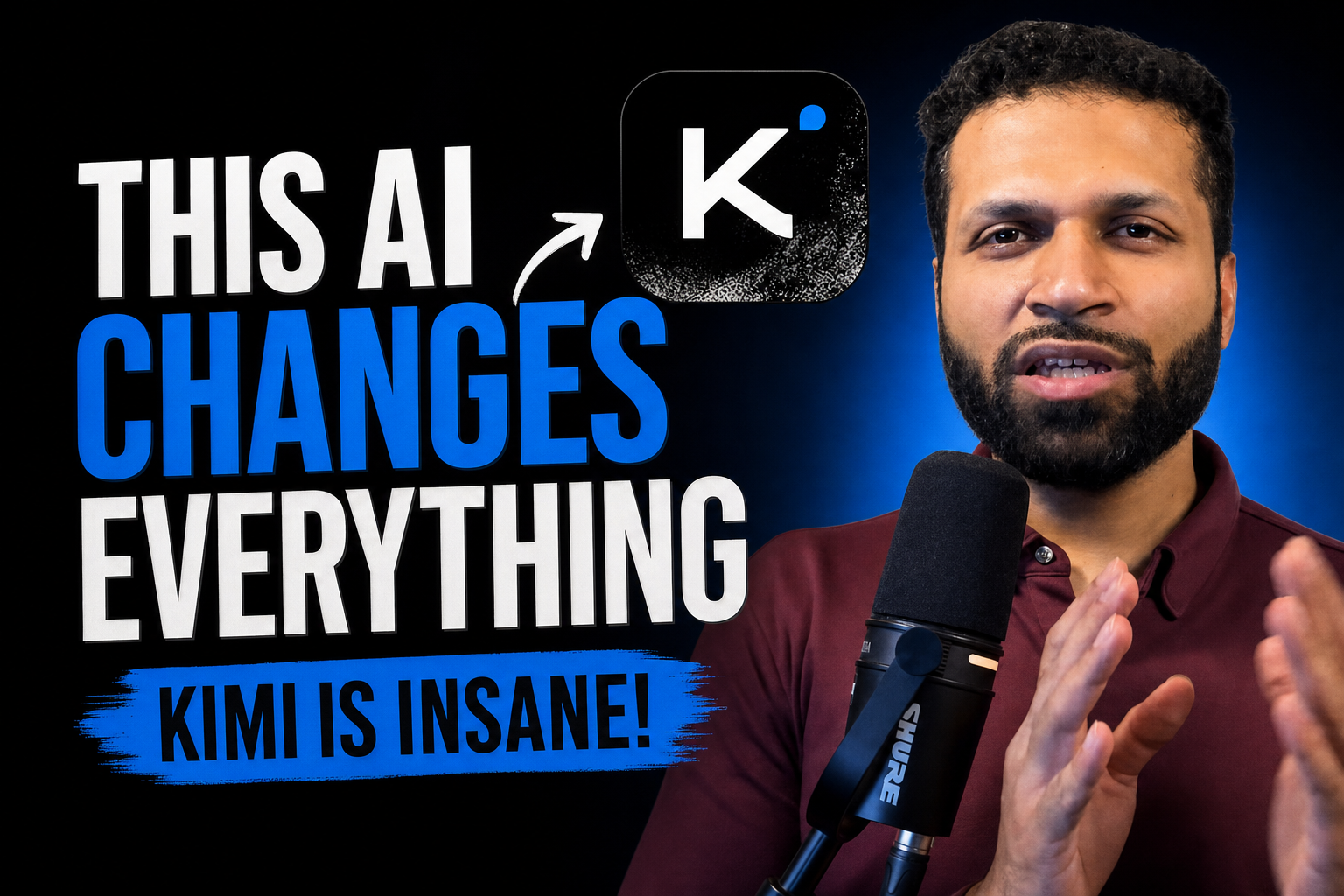
thumbnail-result
2v5J3MFPIz8RnQFrtQZa1
text output
- Create a high-impact YouTube thumbnail about **Kimi K3**, using the provided presenter photo and logo. Place the presenter prominently on one side with an excited, amazed expression, enhanced sharp lighting and clean cutout. Show a futuristic glowing AI model/core on the other side, surrounded by benchmark charts, code, neural-network graphics, and subtle China/open-source technology elements. Add bold readable text: **“KIMI K3”** and **“OPEN-SOURCE BEAST!”** Use dramatic blue, purple, and red neon colors, strong contrast, cinematic lighting, energetic composition, minimal clutter, professional tech-news style, 16:9 format.
2v5J3MFPIz8RnQFrtQZa1
Agent skill
Drop this SKILL.md into your agent so it can run this template via the Brainy Canvas MCP.
---
name: youtube-thumbnail-maker
description: Generate a viral YouTube thumbnail from a transcript and uploaded visual assets.
trigger keywords:
  - youtube thumbnail
  - make thumbnail
  - generate video thumbnail
  - viral thumbnail
  - thumbnail from transcript
  - youtube thumbnail maker
---

## Overview

Use this template to generate a YouTube thumbnail from:

- A video transcript or summary.
- A primary image/logo/visual asset uploaded by the user.
- The template’s built-in prompt and gallery context.

The workflow analyzes the transcript with a text model, then combines the resulting creative direction with the uploaded image asset to produce a final thumbnail image.

## When to use

Use this skill when the user wants to:

- Create a YouTube thumbnail.
- Turn a video transcript into thumbnail text/visual direction.
- Use logos, screenshots, portraits, product images, or other assets in a thumbnail.
- Generate a “viral” or clickable thumbnail concept.

Do not use this skill for:

- Editing long videos.
- Generating full YouTube titles/descriptions only.
- Making thumbnails without any transcript/context or visual asset.

## How to invoke

### 1. Remix the template

```ts
const { projectId } = await remix_template({
  slug: "youtube-thumbnail-maker"
});
```

### 2. Patch the transcript text node

Patch node `wekE1O1hhkN9jKg2SBw71` with the user’s transcript, summary, or video context using the `text` field.

```ts
await patch_node({
  projectId,
  nodeId: "wekE1O1hhkN9jKg2SBw71",
  data: {
    text: "# Video Transcript\n\nPaste the user's transcript or detailed video summary here."
  }
});
```

If the user provides the transcript as a file instead of plain text, upload it first, then patch the same node using its `content` field.

```ts
const transcriptFile = await upload_file({
  contentBase64: "<base64-encoded-transcript-file>",
  contentType: "text/plain",
  fileName: "transcript.txt"
});

await patch_node({
  projectId,
  nodeId: "wekE1O1hhkN9jKg2SBw71",
  data: {
    content: {
      url: transcriptFile.url,
      type: transcriptFile.type
    }
  }
});
```

### 3. Upload the user’s image/logo/visual asset

Node `NpviF1akkPHg3X-OWIlhk` is an image input with no preset content. Upload the user’s image first.

```ts
const uploadedAsset = await upload_file({
  contentBase64: "<base64-encoded-image>",
  contentType: "image/png",
  fileName: "thumbnail-asset.png"
});
```

### 4. Patch the image input node

Patch node `NpviF1akkPHg3X-OWIlhk` using the `content` field.

```ts
await patch_node({
  projectId,
  nodeId: "NpviF1akkPHg3X-OWIlhk",
  data: {
    content: {
      url: uploadedAsset.url,
      type: uploadedAsset.type
    }
  }
});
```

### 5. Run the project

```ts
const run = await run_project({
  projectId
});
```

### 6. Read the final thumbnail output

The final generated thumbnail is produced by node `thumbnail-result`.

```ts
const outputs = await get_node_output({
  projectId,
  nodeId: "thumbnail-result"
});
```

## Inputs

User-supplied inputs to populate:

- `wekE1O1hhkN9jKg2SBw71`
  - `data.text`: Plain-text transcript, summary, or video context.
  - `data.content`: Optional uploaded transcript file as `{ url, type }`.

- `NpviF1akkPHg3X-OWIlhk`
  - `data.content`: Uploaded image/logo/visual asset as `{ url, type }`.
  - Must call `upload_file` before patching this node.

No manual patching is required for:

- `2v5J3MFPIz8RnQFrtQZa1` — intermediate text generation node.
- `thumbnail-result` — final image generation node.
- `wHFbsCkp9I4oj4IgliTdm` — gallery context node.

## Output

Final output node:

- `thumbnail-result`

Read it with:

```ts
const outputs = await get_node_output({
  projectId,
  nodeId: "thumbnail-result"
});
```

Expected output:

- Type: `image`
- The output contains an image URL, typically under `output.url`.
- MIME type is `image/png`.

Use the returned URL as the final YouTube thumbnail image.

## Notes

- The image input node `NpviF1akkPHg3X-OWIlhk` has no preset content; always upload a user asset first and patch with `{ content: { url, type } }`.
- The final node `thumbnail-result` uses image generation/editing model `fal-gpt-image-2-edit`; runs may take longer than text-only workflows.
- The intermediate text node `2v5J3MFPIz8RnQFrtQZa1` uses `azure-gpt-5.6-luna`; do not patch it directly unless explicitly changing the template behavior.
- If the uploaded asset is not PNG, set `contentType` to the actual MIME type, such as `image/jpeg` or `image/webp`.
- Paid-tier or model-access requirements may apply for the image-generation model.